
7 Things You Must Check Before Buying a Smart Watch Today
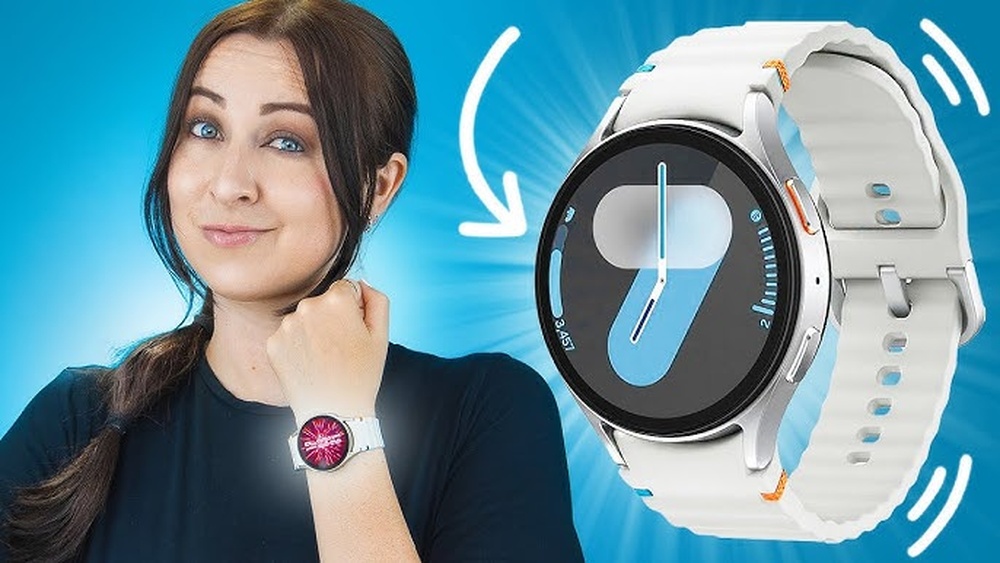
Buying a smartwatch is more complex today than ever before. With so many choices, styles, and technical features, it’s easy to feel overwhelmed. Maybe you want a fitness tracker, a digital assistant, or simply a watch that looks great on your wrist. But, how do you know what really matters? And what should you check before spending your money? This guide will help you cut through the confusion. We’ll look closely at the 7 things you must check before buying a smart watch, sharing not just the basics, but also practical insights that most buyers miss. Whether you’re a first-time buyer or upgrading from an older model, you’ll find clear advice to make a smart decision.
1. Compatibility With Your Smartphone
One of the first—and most important—things to check is if the smartwatch works with your phone. Not all watches are compatible with every phone. For example, Apple Watches only work with iPhones, while many Android watches don’t support iOS features fully. Buying an incompatible watch means you’ll miss key features or face constant sync problems.
Why Compatibility Matters
Smartwatches rely on your phone for many functions, such as notifications, calls, and app syncing. If they don’t “speak the same language,” you’ll face headaches. For example, message replies, app support, and even health data sharing may not work as you expect.
Even the process of setting up the watch can be frustrating if the watch and phone are not designed to work together. Incompatible systems may cause features like calendar syncing or voice assistants to fail, leaving you with a watch that only tells time.
How To Check Compatibility
- Operating System (OS): Check if the watch runs on Wear OS, watchOS, Tizen, or another system. Match it with your phone’s OS.
- Supported Features: Even if a watch pairs with your phone, some features (like replying to texts) might be missing. Always check the official compatibility list. It’s also smart to visit the brand’s website and find the section listing supported devices.
- App Availability: Some smartwatches need special apps. Read reviews to see if the app is reliable and easy to use. User complaints about buggy apps or missing updates are a red flag.
- Bluetooth Version: Older phones may not support the latest Bluetooth, which can cause connection drops. For example, if your phone only supports Bluetooth 4.0 but the watch needs Bluetooth 5.0 for stable pairing, you’ll experience frustrating disconnects or lag in notifications.
Example
If you use an iPhone, an Apple Watch will give you the best experience. If you have a Samsung phone, a Galaxy Watch is often a better fit. For Google Pixel users, Pixel Watch or Wear OS devices are the safest bets. Some lesser-known brands may promise broad compatibility but often deliver a weaker experience, especially for message or call functions.
Non-obvious Insights
- Firmware Updates: Some watches lose compatibility after a phone OS update. Check the manufacturer’s update policy. For example, certain older models stop supporting new iOS or Android versions, which can break features you rely on.
- Multi-Device Sync: If you have a work and a personal phone, some watches support pairing with both, but most don’t. Few watches allow easy switching, so consider your daily routine before buying.
2. Battery Life And Charging Options
Battery life is a major factor in smartwatch satisfaction. A dead watch is a useless watch, yet many buyers overlook real-world battery usage and charging speed. Some watches promise days of battery, but heavy use (GPS, music, calls) can drain them fast. It’s important to look beyond the official numbers and think about your habits: do you use GPS tracking every day, keep the display always on, or listen to music from your watch? All of these have a big impact on how long your watch will last between charges.
Types Of Battery Life
- Short (1-2 days): Common in feature-rich watches like Apple Watch or Wear OS devices. These watches do a lot, but you’ll need to charge them daily or every other day.
- Medium (3-5 days): Found in some hybrid or mid-range watches. These usually have fewer smart features, but longer battery life.
- Long (7+ days): Usually in fitness trackers or watches with fewer smart features. These are ideal if you hate charging every day, but you might miss out on some advanced apps.
Some brands advertise “up to” battery life numbers, but that’s usually with most features turned off. Always check what settings are used for those claims.
How To Compare
Here’s a practical comparison of battery life for popular models:
| Smart Watch | Typical Battery Life | Heavy Use Battery Life |
|---|---|---|
| Apple Watch Series 8 | 18 hours | 12 hours |
| Samsung Galaxy Watch 5 | 40 hours | 24 hours |
| Fitbit Versa 4 | 6 days | 3 days |
| Garmin Forerunner 255 | 14 days | 6 days |
The numbers above give you a sense of what to expect. For example, if you use GPS tracking for long runs, expect the battery to drop much faster than advertised.
Charging Methods
- Magnetic Chargers: Most common, easy to use, but can disconnect easily. They’re convenient for daily charging but not ideal for travel since they can come loose if bumped.
- Wireless Charging: More convenient, but often slower. Some watches support Qi wireless charging pads, letting you use the same charger as your phone.
- Proprietary Docks: Fastest charging, but not universal. If you lose it, replacements are hard to find and often expensive.
Some watches also offer “reverse charging,” letting you charge your watch from your smartphone if it supports this feature.
Practical Tips
- Check if the charger is included or sold separately. It’s frustrating to buy a new watch and realize you need to spend extra for the charger.
- Look for fast charging if you’re always in a hurry. Some models can give you a full day’s power in just 10-15 minutes.
- Avoid watches with rare charging cables—losing them is a hassle, and replacements may take weeks to arrive.
- For travelers, check if you can use a power bank to charge the watch.
Common Mistakes
Some buyers focus only on “maximum battery life” claims. Remember, using GPS, music, or calling drains batteries quickly. Read user reviews for real-life battery performance. Also, consider if you want to wear your watch at night for sleep tracking—if you need to charge every night, you’ll miss out on sleep data.
Non-obvious Insights
- Always-on Display: This feature looks great but cuts battery life by 30–50%. If you want both always-on display and long battery, look for models with power-saving screen tech.
- Replaceable Batteries: Almost all smartwatches use built-in batteries. If the battery dies after 2–3 years, replacing it can be expensive. For some models, you’ll have to send the watch to a service center.
3. Health And Fitness Features
Many people buy a smartwatch for health tracking. But not all watches measure the same things, and accuracy varies. If you care about steps, sleep, heart rate, or advanced sports tracking, you need to dig deeper into what’s offered. Some watches focus on basic step tracking, while others are true fitness companions, offering VO2 max, stress scores, or detailed sleep analysis.
Core Health Features
- Step Counting: Basic, but check for accuracy. Some watches count wrist movements as steps, inflating numbers.
- Heart Rate Monitoring: Useful for fitness and health alerts. Good for tracking workouts or monitoring stress.
- Sleep Tracking: Good for understanding your rest patterns. More advanced models show light, deep, and REM stages.
- GPS Tracking: Important for runners, cyclists, or hikers. Accurate GPS is key for mapping your routes.
- Blood Oxygen (SpO2): Helpful for athletes or high-altitude users. Also used to monitor breathing problems.
- ECG Monitoring: Advanced feature for heart health, available on premium models. Can detect irregular heartbeats.
- Menstrual Cycle Tracking: Found on some recent models. Useful for tracking cycles and symptoms.
Comparing Health Features
Not all watches offer the same sensors or accuracy. Below is a quick comparison of key health features:
| Smart Watch | Heart Rate | SpO2 | ECG | Sleep Tracking | GPS |
|---|---|---|---|---|---|
| Apple Watch Series 8 | ✔️ | ✔️ | ✔️ | ✔️ | ✔️ |
| Fitbit Versa 4 | ✔️ | ✔️ | ❌ | ✔️ | ✔️ |
| Garmin Forerunner 255 | ✔️ | ✔️ | ❌ | ✔️ | ✔️ |
| Samsung Galaxy Watch 5 | ✔️ | ✔️ | ✔️ | ✔️ | ✔️ |
Look for official certifications for health sensors, especially if you want to use them for medical reasons.
Accuracy Matters
Some smartwatches are more accurate than others. For example, Garmin watches are trusted by athletes for GPS accuracy. Apple’s ECG and SpO2 sensors are FDA-cleared, while some cheaper watches have unreliable sensors. Inconsistent data can be misleading, especially for training or health monitoring.
Extra Features
- Fall Detection: Alerts contacts if you fall. Very useful for elderly users or people with medical conditions.
- Stress Tracking: Uses heart rate variability. Helpful for people who want to manage daily stress.
- Body Temperature: Useful for illness detection or tracking ovulation.
Some watches also offer guided breathing exercises, hydration reminders, or skin temperature sensors.
Non-obvious Insights
- Third-Party Apps: Some watches allow extra health apps, which can add features—but check if your device supports them. For example, you can add running or meditation apps on Apple Watch, but not on every brand.
- Data Privacy: Your health data is valuable. Check how the brand handles your information. Some brands share data with third parties or store it in the cloud, which might not be ideal for privacy-conscious users.
4. Display Quality And Design
The look and feel of your smartwatch affects both comfort and usefulness. A beautiful, clear screen is easier to read in sunlight. The right design fits your style and daily life. It’s not just about looks—screen clarity makes a big difference when reading small text or using the watch outside.
Display Types
- AMOLED/OLED: Bright, rich colors, perfect for outdoor use. Used in most premium models. Blacks are truly black, making the screen easy on the eyes.
- LCD: Often found in cheaper watches, less bright, but can save battery. Whites may look more blue or gray.
- Transflective: Used in sports watches (like Garmin), easy to read in bright sunlight. Not as vibrant indoors, but great for all-day outdoor wear.
Key Display Factors
- Size: Common sizes range from 40mm to 46mm. Larger screens are easier to use but may look bulky. Smaller wrists may prefer 40-42mm models.
- Resolution: Higher resolution means sharper text and images. This is especially noticeable when viewing notifications or photos.
- Brightness: Look for at least 1,000 nits for outdoor use. If you spend time in bright sunlight, this is a must.
- Always-On Display: Shows the time and info at all times, but drains battery. Some watches let you turn this off to save power.
- Touchscreen vs. Buttons: Touchscreens are easy, but physical buttons work better when wet or during workouts. Some watches combine both for flexibility.
Comparing Display Specs
Here’s a table comparing display features:
| Smart Watch | Display Type | Size (mm) | Resolution | Always-On |
|---|---|---|---|---|
| Apple Watch Series 8 | OLED | 41/45 | 352×430 | Yes |
| Fitbit Versa 4 | AMOLED | 40 | 336×336 | No |
| Garmin Forerunner 255 | Transflective | 41/46 | 218×218 | No |
| Samsung Galaxy Watch 5 | AMOLED | 40/44 | 396×396 | Yes |
Design Options
- Strap Material: Silicone for sports, leather for style, metal for durability. Many watches let you swap bands easily.
- Watch Faces: Check if you can customize the look. Some brands offer thousands of designs, while others have only a few.
- Weight and Thickness: Heavy watches may be uncomfortable for sleep tracking. Lighter models are better for all-day wear.
- Water Resistance: Important if you swim or wear it in the shower. Check the rating to avoid damage.
Practical Tips
Try the watch on before buying, if possible. Some look great online but feel bulky or awkward in real life. Also, pay attention to the buckle or clasp—some are easier to put on with one hand than others.
Non-obvious Insights
- Screen Durability: Sapphire glass resists scratches better than Gorilla Glass. If you’re active or clumsy, pay extra for better glass.
- Bezel Control: Some watches use a rotating bezel (like Samsung), which is useful for scrolling with wet hands or gloves. This can be a big plus for athletes.
5. App Ecosystem And Smart Features
A smartwatch is more than a fitness band. The apps and smart features can turn your watch into a mini-phone, music player, or organizer. But not all watches have the same app support. This is where the experience really changes—some watches have their own app store, while others rely on your phone for most functions.
Essential Smart Features
- Notifications: Calls, texts, emails, app alerts. Some watches let you reply, while others only show messages.
- Music Control: Play, pause, or skip tracks from your wrist. Some let you store music on the watch itself for phone-free listening.
- Voice Assistants: Siri, Google Assistant, Alexa. Great for setting reminders or asking questions without your phone.
- Contactless Payments: Apple Pay, Google Pay, Samsung Pay. Useful for quick payments at stores or transit.
- Calls from Watch: Make and receive calls (needs mic and speaker). Some models require your phone nearby, others work alone with LTE.
App Stores
- Apple Watch: Best app selection. Thousands of apps, from maps to games.
- Wear OS: Good selection, including Google Maps, Spotify, and more.
- Fitbit/Proprietary: Fewer apps, mostly health-focused.
- Garmin: Limited, but growing. Focused on sports and outdoors.
Comparing App Support
- If you want to use Spotify offline, check if your watch supports it. Some watches only allow streaming, not downloads.
- For home automation, see if you can control smart lights or locks. Apple and Google watches usually offer better integration.
- If you need language support, check if your preferred language is included. Some watches support only a few languages.
Third-party Apps
Some watches let you install extra apps. Others are “closed,” meaning you can’t add more than what’s built-in. This limits what you can do over time as your needs change.
Voice Assistants
- Useful for hands-free tasks. For example, set reminders, send messages, or get directions.
- Not all regions or languages supported. Make sure your language is available.
- Some watches have offline voice controls. Handy if you often lose internet connection.
Advanced Features
- Find My Phone: Trigger an alert to find your lost phone. Surprisingly helpful!
- Calendar Integration: See and manage your schedule. Some watches let you accept or decline invites directly.
- Offline Maps: Great for travelers and hikers. Not all watches support this, so check before you buy.
- Smart Home Control: Some models integrate with smart home devices, letting you control lights, locks, or thermostats from your wrist.
Non-obvious Insights
- App Updates: A big app store doesn’t matter if developers don’t update their apps. Check recent reviews for bugs or crashes. Abandoned apps can break after system updates.
- Regional Restrictions: Some features (like payments or voice assistants) only work in certain countries. Make sure the features you want are available where you live.
6. Build Quality And Durability
You’ll wear your smartwatch every day, so durability is crucial. Watches face bumps, drops, rain, and sweat. A cracked screen or dead battery can ruin your investment. Don’t underestimate daily wear and tear—scratches and small impacts are common.
Materials
- Case: Aluminum (lightweight), stainless steel (strong), titanium (premium and light), plastic (cheaper). Each has pros and cons for weight, style, and durability.
- Screen: Sapphire glass (best), Gorilla Glass (good), regular glass (scratches easily). Sapphire is more expensive but resists scratches from keys, coins, and desks.
- Strap: Choose a comfortable, easy-to-clean material. Swappable straps are great for changing styles or replacing worn bands.
Water And Dust Resistance
Most smartwatches offer some protection, but levels vary.
- IP Rating: Shows dust and water resistance. IP68 means dustproof and can survive 1.5m underwater for 30 minutes. Lower ratings mean you must be careful around water.
- ATM Rating: 5ATM means safe for swimming, 10ATM for snorkeling. Some watches advertise “splash-proof” only, which is not enough for swimming or showering.
Real-world Durability
- Workout Use: Check for sweat and impact resistance. Some watches have special coatings to resist sweat corrosion.
- Extreme Temperatures: Not all watches handle heat or cold well. If you work outdoors or travel, check temperature limits.
- Shock Resistance: Important if you’re active or clumsy. Some sports watches meet military standards for drops and shocks.
Comparing Durability
Apple Watch Ultra and Garmin Fenix are known for ruggedness. Cheaper models often skip tough materials to save cost. If you plan to use your watch for outdoor sports, hiking, or manual work, prioritize durability even if it costs more.
Practical Tips
- Replaceable straps extend the life of your watch. You can refresh the look or swap out a broken band without buying a new watch.
- Some watches offer extended warranties or accidental damage protection. If you’re prone to accidents, the extra cost can be worth it.
- If you have allergies, check what metals or coatings are used in the case and strap.
Non-obvious Insights
- Microphone and Speaker Ports: These can let in water if not well sealed. If you swim or shower with your watch, check for waterproof ratings on ports.
- Service Centers: Check if there’s local support—sending a watch overseas for repair is costly and slow. Brands with local repair centers offer faster service and lower shipping fees.
7. Price, Value, And Warranty
Price is always a big factor, but the cheapest option is rarely the best value. Smartwatches cost between $40 and $1,000+. More money usually brings more features, but not always better quality or support. It’s smart to think about long-term value, not just what you pay today.
Price Ranges
- Budget ($40–$150): Basic tracking, limited apps. Good for kids or first-timers. These watches are often less accurate and may not last as long.
- Mid-Range ($150–$350): Most people’s sweet spot. Good balance of features and style. You’ll find reliable brands and a wide range of choices here.
- Premium ($350–$700): Advanced health, better design, more apps. Great for people who want the latest features or best build quality.
- Luxury ($700+): Niche, often luxury materials or brand value. Rarely worth it for most users unless you want something unique.
Comparing Value
- More expensive does not always mean more accurate health tracking. Check reviews and user experiences, not just specs.
- Some budget watches have better battery life than premium ones. If battery life is your top priority, don’t assume you need to spend more.
- Consider the total cost of ownership, including replacement bands, chargers, and app subscriptions.
Example Price Comparison
Let’s look at three popular models:
- Fitbit Versa 4: Around $180. Great battery, basic apps, accurate health tracking.
- Apple Watch Series 8: Around $399. Rich features, premium build, best app store.
- Garmin Forerunner 255: Around $350. Advanced sports features, best for runners.
Each offers something different, so match the price to your needs, not just your budget.
Warranty And After-sales Service
- Standard warranty is 1 year. Some offer up to 2 years or extended plans. Always read the warranty details—some cover only hardware, not the battery.
- Check what’s covered (battery? Water damage?). Many warranties exclude damage from water or accidents.
- Search for user experiences with repairs and customer service. Slow or unhelpful service can be a big headache if something goes wrong.
- Some brands offer “no-questions-asked” returns for a short time. This is helpful if you change your mind after trying the watch.
Watch Out For Hidden Costs
- Replacement straps and chargers can be expensive. Check prices before you buy extras.
- Some features (like LTE) require a monthly fee. If you want standalone data, add the cost to your budget.
- App subscriptions or premium features can add up over time. For example, some health tracking features require a paid service.
Non-obvious Insights
- Trade-In Programs: Some brands let you trade in old devices for discounts. This can make upgrading more affordable.
- Resale Value: Apple and Garmin watches hold value better than lesser-known brands. If you plan to sell or upgrade later, consider this.
Frequently Asked Questions
What Is The Most Important Feature To Check Before Buying A Smartwatch?
The most important feature is compatibility with your smartphone. If your smartwatch and phone don’t work well together, you’ll lose many features and might face connection problems. Always check the latest compatibility lists before buying.
Can I Swim With Any Smartwatch?
No, not all smartwatches are safe for swimming. Look for a 5ATM or higher water resistance rating for swimming. Always check the manufacturer’s guide before using your watch in water. Even if a watch is “water resistant,” it may not be safe for diving or hot showers.
How Accurate Are Health And Fitness Features In Smartwatches?
Accuracy varies by brand and model. High-end models like Apple Watch and Garmin offer reliable heart rate and GPS tracking, while cheaper watches may have less accurate sensors. For medical use, always consult your doctor. Remember, smartwatches are not replacements for professional medical devices.
Do Smartwatches Need A Sim Card?
Most smartwatches connect to your phone via Bluetooth and don’t need a SIM card. Some models offer LTE versions that can make calls and use data independently, but these usually require a separate plan. LTE is great for people who want to leave their phone at home but stay connected.
Where Can I Find More Detailed Smartwatch Reviews And Comparisons?
For in-depth reviews and up-to-date comparisons, you can visit TechRadar, which offers detailed guides and expert opinions on the latest models.
Smartwatches are more than just accessories—they’re daily companions that can improve your life, health, and productivity. By checking these 7 key factors before you buy, you’ll avoid common mistakes and choose a watch that fits your needs and lifestyle for years to come.
Take your time, compare carefully, and enjoy your new tech on your wrist!